Showing posts with label apps. Show all posts

Monday, March 17, 2014

Intro to website listing Apps for the Visually Impaired

It has been said that technology has made the world smaller, but for the blind or those with poor vision, iDevices are opening up a whole new world. 

Stella's website and particularly her AppList, highlights some of the most innovative and entertaining apps available to the vision impaired. 

Now, with the aid of an iPhone, the blind or visually impaired can virtually see colour, light, paper money and much more. 

See the full list of Apps for the Visually Impaired on Stella's website.

Send questions and suggestions directly to Stella@AppAdvice.com 
__________________________________________________

Another website that lists Apple Apps for the Visually Impaired is AppleVis

AppleVis displays iOS Apps that have been developed specifically for the Blind or People with Low Vision

Monday, December 23, 2013

Education experts give tips on apps for your kids

Kids these days have a penchant for high-tech and would rather play with smartphones and tablets than board games and building blocks.M

And they start younger and younger. A whopping 83 percent of children age 6 and younger use some form of screen media, according to the Kaiser Family Foundation.

Although screen time has been linked with diminished creativity, childhood obesity, sleep disturbance and the like, it doesn't all have to be negative, said University of Alabama at Birmingham education experts.

"When used appropriately, technology and media can enhance children's cognitive and social abilities," said Jennifer Summerlin, an instructor in the UAB School of Education.

"Interactions should be playful and support creativity, exploration and authentic learning."

Summerlin offers some tips and to help ensure children make the most of their screen time:

  • Have a plan: When choosing media for your child, be informed and intentional and make appropriate choices. It should be appropriate for their age, individual nature, cultural upbringing and linguistic abilities.
  • Make sure their brain is put to work: Select apps that are active, hands-on, engaging, empowering and give the child control.
  • Enable fun: Be sure to provide your child with any accessories needed to make the device easy to use.
  • Don't let the app be the sole teacher: Let the device be one of many other options to support learning.

UAB instructor and elementary school teacher Allison Hodges, Ph.D., recommends these applications for toddlers and preschool-age children:


Hodges suggests these applications for elementary school-age children:

  • Toontastic allows children to create amazing multi-scene cartoons with musical scores.
  • ABCmouse.com lets children explore the habitats of various animals.
  • Stack the States makes learning the 50 states fun.
  • Marble Maths Junior uses fun mazes to teach kids to solve math problems.
  • Marble Maths, based on the Common Core Curriculum, is an engaging way to learn mental maths.
  • Numbers League lets kids practice basic math facts while helping superheroes fight evil villains.
  • Questimate! is a math-estimation game that directly involves kids in making word problems with just enough guidance to keep the problems relevant and challenging.


Thursday, July 11, 2013

Autism: Six apps to help children learn

With reports of autism among children continuing to rise at a meteoric rate, it's hardly surprising that scores of apps have been developed to help these kids cope, academically and socially.

Many of the apps, used primarily on iPads and other tablets, help children process information as well as social cues through games and instant audio rewards, such as clanging bells and applause.

Others are designed to give parents and teachers tools to recognize behavioural patterns and schedule and coordinate care.

"I'm a big fan of these tablets," noted autistic activist Temple Grandin told reporters.

Debbie Drennan
"Especially with nonverbal individuals, kids can type and the print appears right there on the screen, versus a computer where the keyboard and printed words are further apart. That's a huge advantage."

Debbie Drennan, an assistive technology specialist with Parents Helping Parents in San Jose, Calif., demonstrated some of her favourite apps, for both autistic kids and their parents:

BITSBOARD: Bitsboard helps kids with both literacy and emotional enrichment, using brightly colored flashcards and pop quizzes to teach them vocabulary as well as how to recognize visual cues in photos of people.

The app is "great for anyone on the autism spectrum, because it helps kids learn vocabulary using real objects in a consistent and repetitive way," Drennan said. "So they can touch that picture 100 times and nobody cares."

For social cues, kids can call up "Emotions," then click on people whose faces show anger, disgust or boredom. By familiarizing children with these common expressions, the kids will be more comfortable when they see them in real life and perhaps not look away, as autistic kids often do when confused by social stimuli.

MODEL ME GOING PLACES: This app uses "video modeling," in which a parent-created clip can virtually take an autistic child to a place before they actually go there.

"Having someone on the (autism) spectrum do a new task or go to a new place, like the dentist office, can be very scary for the child," Drennan said.

"This app uses video-modeling or what we call 'front-loading' to show them the place before they go and teach them how they should react once they get there."

On a visit to the "Hairdresser," slides show a young boy and his mom walking into a barbershop, while the audio and on-screen text say things like

"I'm getting a haircut." One slide has the boy saying, "This feels good," a nice warm-up for the first real-time visit to get a haircut.

AURASMA: Using an augmented-reality platform, Aurasma's image-recognition technology allows users to create their own augmented-reality interactions.

Drennan says the software's perfect for helping older autistic children master increased independence from their parents.

She uses the office speaker phone for a demo: Point the iPad at the phone. Record a short video explaining how the device is used. Name the demo. Then snap a photo of the phone for the image-recognition software to recognize.

Now for the fun part: As the child walks around the house, pointing the tablet briefly at an item, the corresponding video tutorial magically pops up.

AUTISM TRACKER LITE: Drennan said one of the greatest challenges for parents of an autistic child with flawed communication skills is knowing what's bugging the child when he or she's having a bad day.

"They can't tell you why they're upset," she said, "but this app helps monitor their behavior and with its feedback can help identify what could be the cause of the stress they're feeling."

Using several tools in the app to describe the child's "Happiness" - "Not at all," "Just a little," or "Somewhat," for example - as well as his activity level and even the weather outside, the Tracker lets a parent chart a kid's behaviour across a period of time.

Often, Drennan said, a pattern will emerge to indicate what might be causing a child to act out. For example, a child may show signs of stress at the beginning of each week, or after a change in diet, or even during certain types of weather.

VISUAL SCHEDULE PLANNER: A fully customizable, cleanly designed audiovisual scheduler and calendar, this app helps the parents of autistic kids who need a clearly defined path through their days.

"This app," Drennan said, "makes everyone's lives easier. It helps both you and the child, because you can add photos to calendars so scheduled activity that day is easy to understand. A photo of an ATM on Monday morning, for example, tells the child that that's when they'll go visit the bank."

The parent shows the child the day's events or what's coming later that week, so the ATM image might be followed by a lunch or shopping icon of some kid.

This way, she said, "the kids can see clearly what's going to happen to them each day, removing a lot of the stress that comes from any sort of confusion."

CARE CIRCLES: This app can be a godsend for those watching after autistic children. They create an account, then regularly update it by entering notes on medications, doctor-visit reports, even behavioural observations, sharing it all with their team of care providers.

"This way, everyone can share, in real-time, what's going on with the child," Drennan said. "So you know, for example, that he didn't have a snack at school or didn't go to the library that day like you thought he would. Everyone knows everything and there are no surprises, which decreases confusion and anxiety among everyone."

Wednesday, May 8, 2013

Dyslexia: Smartphone Apps for Students

NCLD: Reading is the area in which students with dyslexia struggle the most. 

Fortunately, there are many mobile apps that can help.

While we’ve reviewed all of the following ones, and they work well for my daughter who has dyslexia, we also know that “one size (or app) does not fit all.”

You may need to do additional research before finding the app that provides the best “fit” for your child.

Wednesday, February 20, 2013

Dyslexia and the iPad: Search for Tablet Computer Apps

New apps arrive on the market almost daily. Several websites have good lists and reviews. First, search the websites below. 

Next, do a web search using the name of a specific app. Results may provide additional reviews and movies of the app in action on www.youtube.com.

Next, go to the developer’s web site for more information and user reviews. Finally, go to the app store. Pay attention to the poor reviews as well as the positive ones!

Use your expertise to critically evaluate the content; many apps described as reinforcing “phonemic awareness” actually dealt with phonics (letter-sound correspondences) or phonological awareness (syllables and rhyming tasks).

Excellent lists and reviews can be found at these sites:

www.commonsensemedia.org
childrenstech.com (also search KAPi Awards on this site)
www.about.com (search: ipad apps)
dyslexiahelp.umich.edu/tools/apps
a4cwsn.com (apps for children with special needs)
pinterest.com (search: educational ipad apps)
www.kirkusreviews.com (search: top book app)
www.parents-choice.org/allawards.cfm (Mobile app category)
www.apphalloffame.com (unfiltered content)
www.teachthought.com (iPad link)
www.ipadineducation.co.uk/iPad_in_Education/Literacy.html (British list)

Dyslexia: Tablet Computer Apps to Aid Learning

The following apps have been carefully selected to meet most of the criteria outlined above. 

Each is identified by the app name, developer, iTunes URL, intended audience, content, and a brief description. 

All are affordable for the teaching professional or parent.

1. SoundLiteracy Developer: 3D Literacy, LLC
Teacher utility; Phonemic awareness, Phonics (spelling), Morphology
User(s): Teacher with student

Sound Literacy is a large, well-organized collection of electronic “tiles.” It includes blank tiles for phonemic awareness activities; graphemes—individual letters and consonant and vowel clusters such as sh, ng, igh, aw for phonics activities; and morphemes—prefixes, suffixes, Latin roots, and Greek combining forms—for advanced word study activities. It also includes sound charts for consonant and vowel phonemes. Teachers with Apps named it one of the 12 Best Apps for Special Needs of 2012. Disclosure: A portion of all proceeds benefits The International Dyslexia Association.

2. Beginning Sounds Interactive Game
Developer: Lakeshore Learning Materials
Phonological Awareness
User: Student independent

Students match pictures that share the same beginning sound. If the child makes an incorrect choice, the picture re-circulates for another try.

3. Letter Find
Developer: Matthew Thomas
Alphabet (letter naming)
User: Student independent

Letter Find challenges young children to identify a pre-selected lowercase letter when it is among many other letters. Children tap on the letter, which turns green and provides a pleasant sound if correct, and red with a buzzer sound if incorrect. The negative feedback, though, is quite amusing to some children, who persist in responding incorrectly to hear the buzzer.

4. LetterSchool
Developer: Boreaal
Alphabet, Handwriting, phoneme-grapheme correspondences
User: Student independent

This app provides three progressively more challenging ways to practice writing numerals and manuscript letters—both lowercase and capital forms—in three different typefaces (Handwriting Without Tears, D’Nealian, or Zaner-Bloser). Each of the three practice activities includes immediate, explicit, and engaging feedback.

The app is very intuitive; children as young as three learn to use the activities with minimal instruction. However, very small children may not have sufficient finger strength to do the most difficult activities without parental assistance.

The introduction to the letter includes a keyword picture and sound, which present the most common short vowel and consonant sounds with only two exceptions: The keyword for the letter u is “unicorn” and for x, “xylophone.” The benefits of the letter formation practice make this a very worthwhile app!

5. Starfall Learn to Read
Developer: Starfall Education
Phonics (decoding and spelling); interactive book (decodable)
User: Student independent

This app mirrors the decoding and spelling activities in Starfall.com. It includes making words from common rimes (e.g., at in cat, ake in cake), sorting one-syllable words by syllable type, games for matching words and pictures, decodable stories, and engaging cartoon videos explain phoneme-grapheme correspondences. The speech is a child’s voice, with excellent and accurate pronunciation.

6. Bob Books #1 - Reading Magic HD
Developer: Learning Touch
Phonics (decoding and spelling); interactive book (decodable)
User: Student independent

This app is an interactive version of the decodable “Bob Books.” Students practice spelling common CVC words within the context of simple stories; the task menu provides four levels of progressively challenging tasks for beginning readers.

7. Word Wizard - Talking Movable Alphabet & Spelling Tests for Kids
Developer: L'Escapadou
Phonics (spelling)
User: Teacher with student; student independent

This app is appropriate for both spelling practice in teacher-directed small groups or for independent practice using pre-set lists of words: CVC words, high frequency words, and common content words (numbers, colors). Settings are easily changed to suit the purpose of the activity; for example, when touching each letter, a human voice speaks either the sound (good for single letter-sounds) or name of the letter (appropriate for digraphs). A unique feature is that “naughty” words are transformed instantly into “oops.”

8. SpellingCityDeveloper: SpellingCity
Phonics (reading and spelling); vocabulary; alphabetizing and handwriting. User: Teacher with student; student independent This app features seven activities to reinforce spelling, vocabulary, and alphabetizing skills.

The sample lists include homophones and content-based words (e.g., colours, beach, space). However, one can easily create custom lists to practice any spelling pattern using a personal account on the free, accompanying website.

Words to spell are dictated using a natural, human voice, and words are all put into the context of a sentence. Personal lists also feature a choice of appropriate sentences to include in the activities! An added bonus is that any word list can be easily printed in manuscript or cursive on “lined” paper, combining spelling and handwriting practice.

9. abc PocketPhonics: letter sounds & writing + first words
Developer: Apps in My Pocket Ltd
Alphabet (letter naming, handwriting), Phonics (spelling)
User: Student independent

This app provides individualized spelling instruction in a carefully sequenced progression of consonant and vowel sounds, starting with single letters and progressing to consonant and vowel digraphs. Players sign in by name, enabling the app to track individual progress.

A human voice pronounces the phonemes (e.g., /kw/) and then prompts the player to trace the grapheme (e.g., qu,) that represents the sound. After reading and writing isolated phoneme-grapheme associations, the player uses known graphemes to spell words, sound-by-sound (e.g., quit).

The correct response rewards the player with a comical illustration of the word’s meaning. The app includes digraph ng, unvoiced th (with) and voiced th (then), a rare and welcome feature in phonics apps! However, the app could be improved with a more animated and less monotone voice.

10. PopOut! The Tale of Peter Rabbit
Developer: Loud Crow Interactive Inc.
Vocabulary, Comprehension; interactive book (literature)
User: Teacher or parent with student; student independent

This award-winning interactive book is one of several produced by Loud Crow Interactive, a company that converts children’s literature and comic books to an electronic form that truly enhances the text and vocabulary, a rare feature among interactive books.

In The Tale of Peter Rabbit, a pleasant British voice reads the narrative, while the app highlights each spoken word. At the end of the page, one can tap on any word to hear it pronounced again.

Like the other Pop Out books produced by Loud Crow Interactive (The Tale of Benjamin Bunny, The Tale of Squirrel Nutkin, The Night Before Christmas), the interaction mirrors the original pop-out effects as it reinforces rich vocabulary (e.g., the animation and text illustrates how Peter squeezed under the gate.).

Loud Crow also produces Goodnight Moon, several Boynton books (e.g., Barnyard Dance! Moo, Baa, La La La!), Charlie Brown stories (e.g., It’s the Great Pumpkin, Charlie Brown), and the first-ever, fully interactive comic book app, Marvel’s the Avengers: Iron Man – Mark VII).

11. Nursery Rhymes with StoryTime
Developer: ustwo™
Phonological Awareness, Comprehension; interactive book (literature)
User: Teacher or parent with student; student independent

This interactive book reads familiar nursery rhymes aloud. The exquisite illustrations invite young children to trigger the interactions, which reinforce the content of the nursery rhyme.

12. Word Wit
Ballpoint Inc.
Vocabulary
User: Student independent

Designed for English-Language Learners, or native-speaking middle school students and older, Word Wit makes it fun and easy to learn the difference between frequently confused words (e.g., affect/effect).

It presents sequential activities that include explanations, quotes, and quizzes designed to deepen one’s understanding. Wrong answers cycle back for added practice. One can look up words individually, or let the app randomly select word pairs for you.

13. Vocab Rootology HD – Greek and Latin Roots and Etymology
Developer: PrepInteractive
Morphology, Vocabulary
User: Student independent

This is a flash-card tutorial of Latin roots and Greek combining forms for the serious, older student, teacher, or parent. It features flash cards for pre-testing and study, drills, and a report card to track progress. It is one of the few apps to provide feedback on a grading scale (A to F), appropriate for more mature audiences.

14. Inspiration Maps
Developer: Inspiration Software, Inc.
Written Composition
User: Teacher with student; student independent

Inspiration Maps is a portable version of the popular Inspiration composition software; it helps organize topics for writing or studying with graphic organizers.

It includes dozens of pre-made templates in a variety of forms, both expository (e.g., compare and contrast) and narrative.

15. Draw Everything! GLOW Note Free!
Developer: Jae Kwang Lee
Teacher Utility
User: Teacher with student; student independent

This app is a portable drawing/writing surface with day-glow colors. Kids can use it to practice writing letters and numbers; teachers can explain concepts electronically and display it on an overhead projector.

16. Smart White Board HD
Developer: Pad read
Teacher Utility
User: Teacher with student; student independent

This app is a portable, electronic white board for use by students and teachers. Kids can use it to practice writing letters and numbers; teachers can explain concepts electronically with the option of displaying it on an overhead projector. It includes four “pen” colors for detailed explanations.

17. Explain Everything
Developer: MorrisCooke
Teacher Utility
User: Teacher for the student (prepared in advance); student independent

This is an extremely versatile app for teachers in primary grades through university courses. Instructors can import pictures, PDF documents, and Powerpoint files into the app, where one can augment them with annotations, animated arrows and shapes, pictures, even a laser pointer!

There also is the option to record a video of the presentation, including handwriting on the screen, voice, and animated laser pointing. The finished products can be saved as a PDF document or video, which can be shared electronically with students. It is easy to learn and fairly intuitive.

18. Dropbox
Developer: Dropbox
Teacher Utility
User: Teacher, parent and/or student

Dropbox is a free cloud storage system that synchronizes files. Files placed in this folder are accessible through applications and a website, so you are able to access the file anywhere there is an Internet (or telephone) connection worldwide.

One also can create folders accessible by several people. This is the perfect application for teachers and students on the go! You never have to search for the latest version.

Dyslexia: What are the advantages of tablet computers?

Unlike desktop computers, tablet computers, such as the iPad (and iPhones) are lightweight, portable, and kid-sized. 

The long battery life means they can be used at home, in school, in trains, planes, and automobiles—literally any place where one can sit down.

iPads start instantly and can be closed in the middle of an activity at a moment’s notice.

Most apps are reasonably priced, and range from free to about $25, although some specialty apps (e.g., for Speech and Language Pathologists) can be quite expensive.

What should you look for in a good app?
A good app is educationally sound, versatile, and worth the price.

Here are a few other considerations;
  • Intended user: Is the app meant for students to use independently or with a teacher or parent? Teacher-utility apps are meant for teachers to use in planning or delivering instruction.
  • Breadth and depth: Is the content accurate and research-based? Are activities varied, with multiple levels of complexity? Is there scaffolding to support learners of different abilities?
  • User-friendliness: Is it intuitive? Can the user move easily between tasks? How do teacher-utility apps improve teaching quality or save time and effort? Are oral or written instructions readily available? Do web-links enhance the content?
  • Images and sound: Are the illustrations, graphics and sound attractive and engaging? Do they enhance content, or detract from it?
  • Feedback: Is the feedback timely, specific, and motivating? Is feedback delivered at multiple levels?
  • Engaging: Do the activities promote involvement? Are there motivating goals and attractive rewards? Are activities interactive and challenging and do they involve problem solving? Are student apps fun and enjoyable, compelling students to want to use them again and again?
Click Here to see a list of some worthwhile apps to consider

Thursday, January 17, 2013

New Apps for Autism and/or Asperger’s

Over the past several weeks and months, we have received a number of requests for apps to help children and adults on the autism spectrum

So, we thought that this week’s article might be a good vehicle for providing our readers with an answer to these many requests.

What is new in the world of apps for autism /Asperger’s? We hope you will find a few new resources here to tap into for yourself or for the person in your life challenged with an autism-spectrum disorder.

Please tell us what you think of these apps when you have had an opportunity to try them. We would love to receive your valuable input!

New Apps for Autism/Asperger’s
Autism Apps for iPhone, iPod touch, and iPad---FREE (Updated: Jan 10, 2013)
Educational Autism Apps is simply a comprehensive list of apps that are being used with and by people diagnosed with autism, Down syndrome and other special needs.

It also includes links to any available information that can be found for each app. The Apps are also separated into over 30 categories, and the descriptions are all searchable, so any type of app is easy to find and download.

CLICK HERE

Autism Apps from Autism Speaks (for Android & Apple)
Long list of autism apps that provides app titles, platform compatibilities, prices, content categories and online app access (click links), an excellent online resource from a most reputable organization.

CLICK HERE

MySocius Model by BehaviorApp - MySocius is an iPhone and iPad app designed for parents who want to help their child with autism communicate.

This app uses evidence based, Naturalistic Teaching Procedures that “embeds teaching within the activities of everyday life.” Naturalistic Teaching Procedures have proved to be effective in clinical practice.

Price: $24.99 (Expensive, but for what it claims to provide, only you can decide if it's worth the price.)

CLICK HERE

Autism Apps List from the TCI Tech Review Blog
Short list of Apple-compatible autism apps from last half of 2012 to January 2013.

Individual reviews provide pricing, summaries, iTunes access links and more.

(All have prices that are from $1.99 to $99.00)

CLICK HERE

For more information on sensory-appealing reading tools:
www.FocusandRead.com Tools for struggling readers of all ages!
www.BrennanInnovators.com Info & support for struggling readers

Sunday, December 16, 2012

Essential iPhone Apps for the Disabled?

More than 16 million people in America have a mental illness or a cognitive function problem while 3 million people have difficulty with speech communication, thus hindering them from learning independently. 

However, learning can be facilitated, even for people with disabilities, through the help of mobile devices like the iPhone.

If you’re a parent of a disabled child or a teacher for disabled students, you can make learning more interesting for them with the help of these apps!
ArtikPix
arktickpixOne of the best learning methods for children is the use of pictures and graphics, one thing that modern technology such as the iPhone can now offer for free.

ArtikPix is one of those free applications geared towards empowering special education teachers and students by providing great ways to interact while learning.

In a nutshell, it’s a flashcard activity app that allows students to practice speech.

The app is also helpful for teachers because it allows them to collect and keep track of data through Google Spreadsheets.

In My Dreams
in my dreams appIf you don’t have an iPhone 5, you can always opt for apps that are great for older iPhone versions.

In My Dreams is a great app that works on all iOS 2.2.1 devices and above (which makes it ideal for every iPhone).

It’s a matching and reading app that allows students to learn effective reading, writing and speaking through animation and repetition.

The app uses voice, sign language, pictures and words to help kids widen their vocabularies, master sentence structures and distinguish connections between words and visuals.
ADHD Angel
adhd angelAside from the usual speech and learning problems that many students encounter, a lot of children in America also have problems focusing in school due to behavioural disorders such as ADHD (Attention Deficit Hyperactivity Disorder).

For students who are having trouble controlling and monitoring their ADHD tendencies, the perfect app to try is ADHD Angel. ADHD Angel helps students understand their condition and monitor and manage their feelings.

Aside from medication reminders, the app also features information about ADHD which kids can use to explain their disability to their peers. It also has important emergency contact details, advice and reminders to help students cope with ADHD even at school.
TapToTalk
taptotalkFor students who can’t speak because of autism, cerebral palsy or other speech defects, the iPhone is a very helpful tool in communicating with others.

Apps likeTapToTalk serves as an easy and fun communication device. The app is filled with pictures that he or she can tap to voice their feelings and needs.

Aside from this app, the developers also created other apps to go with it such as TapToTalk Uploader which helps disabled kids expand their photo album by uploading their own pictures.
Learn Braille Alphabet
learn braille appWhether or not a student is blind, it still is helpful to learn the Braille alphabet.

Students who have a blind friend or family member will find it easier to learn the Braille alphabet by using the Learn Braille app.

This app is enhanced for the iPhone 5 so that students can easily learn Braille with fun visuals and interactive games.

Not only will the kids learn a new language, they will also be able to help their blind classmate!
While there are many apps to support parents and teachers who have disabled students, developers have yet to come up with many applications to help disabled children.

But with the onset of new technologies, it won’t be too long until students with disabilities have the opportunity to learn at the same pace as other kids.

Monday, October 1, 2012

Reading Disabilities: 50 Useful Apps For Students

Whether you’re the parent of a child with a reading disability or an educator that works with learning disabled students on a daily basis, you’re undoubtedly always looking for new tools to help these bright young kids meet their potential and work through their disability.

While there are numerous technologies out there that can help, perhaps one of the richest is the iPad, which offers dozens of applications designed to meet the needs of learning disabled kids and beginning readers alike.

Here, we highlight just a few of the amazing apps out there that can help students with a reading disability improve their skills not only in reading, writing, and spelling, but also get a boost in confidence and learn to see school as a fun, engaging activity, not a struggle.

Helpful Tools

These tools are useful for both educators and students with reading disabilities alike, aiding in everything from looking up a correct spelling to reading text out loud.
  1. Speak It!: Speak It! is a great text-to-speech solution that can allow students with reading disabilities to get a little help with reading when they need it.
  2. Talk to Me: Talk to Me is another text to speech application. It can be used to read words out loud as they are typed, which can help students to better correlate the letters and words with how they’re pronounced.
  3. Dragon Dictation: Dragon Dictation works in reverse of the two apps we just listed. Instead of reading text out loud, the application writes down spoken text. For students who struggle with writing, it can be a great way for them to jot down ideas or get help learning.
  4. Dyslexic Like Me: Explaining dyslexia to a child can be hard, but this application can make it a little easier. It’s an interactive children’s book that helps students to understand dyslexia and become empowered to overcome their learning disability.
  5. Merriam-Webster Dictionary: If spelling is a problem, it’s always a good idea to have a really great dictionary on hand. This app from Merriam-Webster can provide that.
  6. Ditionary.com: If Dictionary.com is your go-to place for definitions and spelling help, this app can be a great way to bring that functionality to your iPad or iPhone.
  7. Prizmo: With Prizmo, users can scan in any kind of text document and have the program read it out loud, which can be a big help to those who struggle with reading.
  8. Flashcards for iPad: This app makes it easy to study words, spelling, and other things that young and LD readers might need help with.
  9. Soundnote: Using Soundnote, you can record drawings, notes, and audio all at once, balancing reading-based skills with those that are auditory and visual.

Fundamentals

These apps help teach the fundamentals of reading, writing, and spelling to any young learner, but can be especially helpful for those who are struggling.
  1. Alphabet Zoo: Alphabet Zoo is a great tool for helping young readers to recognize letter sounds. Using text and pictures of animals, kids can build their reading skills while having fun.
  2. Find the Letters HD: A favorite of special education teachers and psychologists, this app asks learners to find letters and numbers in a coloring grid. It helps build skills in spatial positioning, depth orientation, form discrimination, and concentration and attention.
  3. First Words Sampler: Preschoolers with a reading disability can get a head start on improving their skills with this app that teaches them about letters and words using fun graphics and sounds.
  4. Montessori Crosswords: Embrace the Montessori method by using this app to help youngsters improve their spelling and reading skills through engaging phonics-based exercises.
  5. Read & Write :Students can practice reading and writing letters using this application. Users can trace letters, learn letter sounds, and get illustrations to go along with each part of the alphabet.
  6. Sound Literacy: With a portion of the proceeds from this app going to the Dyslexia Association, there’s no reason not to sign on. Even better, the app is incredibly useful, employing the Orton-Gillingham method to help students recognize the spellings of English phonemes.
  7. weesay ABC: Using pictures, words, and sounds, this application makes it easy for young students to practice and learn their ABCs.
  8. abc PocketPhonics: This app is a great tool for teaching reading disabled students the fundamentals of letter sounds and shapes.
  9. The Writing Machine: By correlating pictures and words, reading text, sounding out letters, this tool helps students develop early literacy abilities with greater ease.
  10. WordSort: One of the top educational apps out there, this game helps kids to learn how to identify parts of speech, like nouns, adverbs, and verbs, as well as emphasizing grammar skills.
  11. ABC Phonics Word Families: Using analogy phonics (or word families) this application teaches young learners to see and hear the patterns of commonality in a set of words. With flashcards, spelling words, scrambled words, and games, this app is a must-have for helping students.

Reading

These excellent iPad apps can be a big help to reading disabled students who need a little extra support when trying to read.
  1. Blio: Blio offers all the same features of any basic e-reader, and also a few things that make it unique. Through synchronized highlighting and a serial presentation view, the app helps those with reading disabilities make sense of the text, something many other similar apps don’t offer.
  2. Read 2 Me: For those who have difficulty reading, apps like Read 2 Me can be a godsend. The app comes complete with an entire library of texts, all of which can be read out loud.
  3. Read2Go: If you use DAISY (Digital Accessible Information System) books in your classroom, Read2Go is one of the best and most accessible ways to read those books on iOS.
  4. AppWriter: Designed with reading and writing disabilities in mind, this text editor for iPad integrates numerous accessibility features into standard text editing functionality.
  5. Audiobooks: Sometimes students with reading disabilities might just want a break from reading books the old fashioned way. That’s why this amazing collection of free audiobooks can come in handy, offering access to classics like Romeo and Juliet and Treasure Island.
  6. Bob’s Books: Bob’s Books uses phonics-based interactive games to help kids learn how to read. Activities will help young learners to sound out words, spell, and make connections between letters and sounds.
  7. iStoryTime: There are numerous titles to choose from in the iStoryTime series, all of which allow kids to have the book read to them or to get help reading it themselves.
  8. MeeGenius! Kids’ Books: MeeGenius is another series that’s perfect for practicing reading skills. Those with trouble reading can use illustrations and helpful word highlighting to get help, or just have the book read to them until they’re confident enough to do it on their own.
  9. Reading Trainer: While this app is designed to help average readers boost their reading speed and ability, it can be useful to those who struggle as well, as many of the skills taught can help just about anyone become a more confident reader.
  10. See Read Say: This application will help to ensure that young learners are familiar with all of the Dolch sight words (the most common words), using games, activities, and tons of practice.
  11. Stories2Learn: Why use existing stories to help troubled readers when you can build your own? This application lets you develop your own text and audio stories, including messages, topics, and other things that can help keep kids interested.
  12. eReading series: The eReading series from Brain Integration LLC, helps young readers at all levels of proficiency learn about topics like Greek Mythology and Gulliver’s Travels. Users can have the book read to them, or practice reading without the help, too.

Writing

For those with reading disabilities, sometimes writing can also be a trying task. Here are some apps that can help teach, assist, and make writing more fun.
  1. iWrite Words: Named by The Washington Post as one of the best apps for special needs kids, this game-based program helps youngsters learn to write their letters through a fun and engaging setup that uses illustrations and animations to keep things interesting.
  2. AlphaWriter: Using Montessori-based learning methods, this application helps kids to learn how to read, write, and spell phonetically. It also teaches lessons on consonants and vowels, letter sounds, writing stories, and much more.
  3. Sentence Builder: Through this application, elementary school children will learn how to build grammatically correct sentences, with a special focus on using connector words.
  4. Story Builder: After kids are done learning how to build sentences, they can move onto this app which combines those sentences into one coherent story, complete with illustrations.
  5. Writing Prompts: Having trouble thinking of things for students to write about? This app removes that roadblock and offers up numerous ideas for short writing assignments.
  6. Idea Sketch: This mind-mapping app can help learning disabled students make sense of their ideas and organize them in ways that they can easily translate into written work.
  7. Storyrobe: Teachers and students can build and share their own unique stories through this application. Integration with YouTube and email makes it easy to share and revise, too.

Spelling

These applications can be excellent tools for improving spelling skills.
  1. American Wordspeller: Looking up a word in a dictionary isn’t that simple if you have no idea how to spell it. This app removes that problem and employs a method that lets you much more easily pinpoint how to spell just about any word.
  2. Word Magic: Created by the parents of a five-year-old, this app for young learners help kids learn words and how to spell them correctly. It uses lots of positive reinforcement, rewards, and fun pictures to keep things interesting to learners.
  3. Typ-O: Poor spellers can rejoice over this great application that help you spell words correctly in any typing-related program on your iPhone or iPad.
  4. A1 Spelling App: This application is a great way to help poor spellers begin to learn the correct spelling of common words, increasing difficulty as kids master words.
  5. iSpell Word: iSpell Word is designed to help kids learn the spellings of simple English words. It uses games to teach, with each level of the game employing more difficult words so kids are always challenged.
  6. Jumbline: If you’re looking to make reading, writing, and spelling into a game, this app can help. It’s full of word games that ask players to use speed, smarts, pattern recognition, and spelling skills to win.
  7. Spelling Bee Challenge: Kids can have fun taking part in a mock spelling bee using this application that boosts both spelling and vocab skills.
  8. Word Fall: In this educational game, words fall from the sky and players must collect letters to form basic words.
  9. WordLadder: This highly challenging word game will get older readers thinking about how words are spelled and how they can be connected and changed to form new words.
  10. ACT Spell: Developed especially for learners with disabilities and special needs, this tool helps develop motor control, word recognition, spelling, and reading skills.
  11. Word Wizard: Lauded by The New York Times, this word-focused app lets kids hear the sounds of letters and words through a movable alphabet while also engaging them in spelling practice and games.

Smartphones: EFM App - Prenatal scans help keep babies safe at home

KEEPING a close watch on baby and mother during pregnancy is crucial, but the equipment to do this is often found only in hospitals. 

So mothers who live far from medical centres must make long journeys to receive routine scans.

This could soon change thanks to a portable fetal-monitoring package based around a smartphone. 


It could provide broader access to cheap monitoring systems for those in remote locations and in countries without access to the most advanced prenatal technologies.

Designed by a team of engineers, computer scientists and obstetricians at Temple University in Philadelphia, Pennsylvania, the system uses commercially available sensors to monitor the fetal heartbeat during pregnancy or the mother's contractions during labour. 

EFM Monitoring Activity
That information is sent via Bluetooth to an Android smartphone, which processes it before relaying it to the main hospital database using whatever connections are available.

Dimitrios Mastrogiannis, the lead physician on the project, says that other health measures such as maternal oxygen saturation or blood-glucose monitors could be integrated into the system.

The work is being presented at the BodyNets conference in Oslo, Norway, this week.

Wednesday, August 8, 2012

Voice Recognition Software for Smartphones

Voice-recognition software is nothing new. But put it on a smartphone, and it comes to life. All of the frustrations of trying to control your PC by voice--fiddling for a microphone, repeating yourself again and again, resisting the urge to relent and turn to your trusty keyboard--are eliminated when you use the same technology on your mobile phone.

And it's becoming more popular all the time, thanks in large measure to the improved speech recognition capabilities of today's mobile phone platforms, such as Google's Android and Apple's iOS. But that's not the only factor behind the uptick in mobile voice recognition, says Tuong Nguyen, principal research analyst with Gartner. He cites the demand for improved user interfaces, especially from users who don't want to rely solely on a touchscreen to interact with their phone.

In addition, the increasing prevalence of laws restricting the use of cell phones while driving has fueled demand for these voice-based apps, Nguyen says. Bluetooth headsets allow drivers to talk hands-free, but many people want access to e-mail and text messages while driving, too, he notes.

Luckily, plenty of apps provide such access--and more. Here's a roundup of some of today's best voice-recognition apps for your phone.

Google Mobile Apps

Platform: Android, BlackBerry, iOS
Price: Free
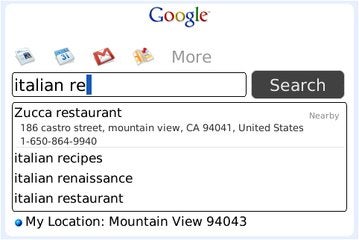
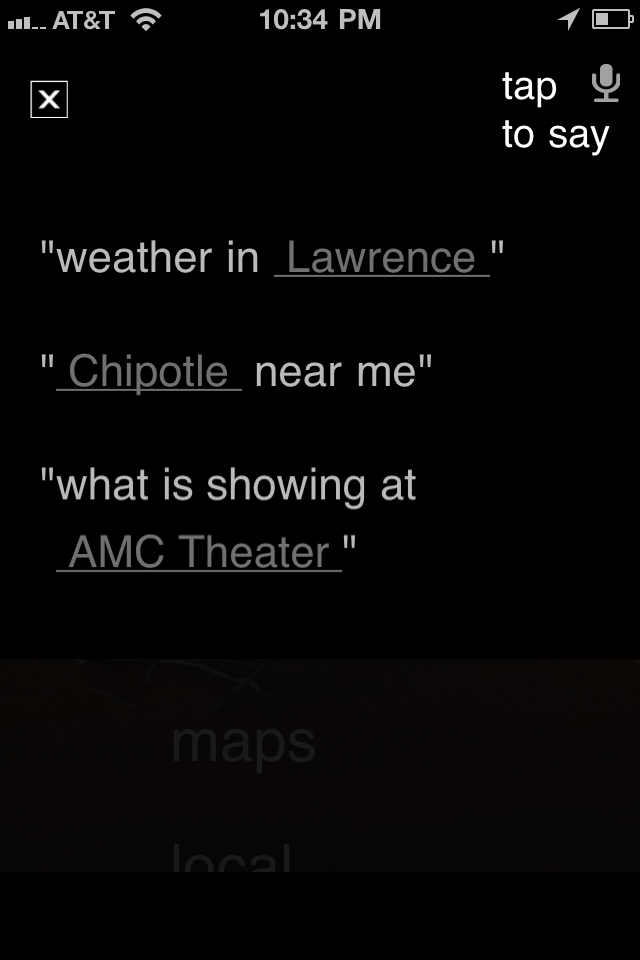
Google Search App for BlackBerry.Google Search App for BlackBerry.Whatever platform you're on, you can give your fingers a rest with one of Google's Mobile Apps. Whether you use the Google Quick Search Box on Android, the Google Mobile app for the iPhone, or the Google Search App for BlackBerry, the application lets you access the goodness of Google with the power of your voice. Search the Web, your contacts, and more without lifting a finger.
Why it's worth checking out: It's Google, duh.

Bing

Platform: Android, iOS
Price: Free
Microsoft Bing search engine.Microsoft's Bing search engine can be used with voice-recognition software and has a good-looking interface.Google isn't the only search engine in town--and it isn't the only one that delivers mobile searches powered by voice, either. Microsoft's Bing does it, too, with the same elegance that the desktop Decision Engine delivers.
Why it's worth checking out: Bing's mobile app has a fluid, elegant interface, and it looks even better without your paw prints all over the screen.

Vlingo

Platform: Android, BlackBerry, iOS, Nokia, Windows Phone
Price: Free (Basic version only; prices of Plus versions vary by platform)
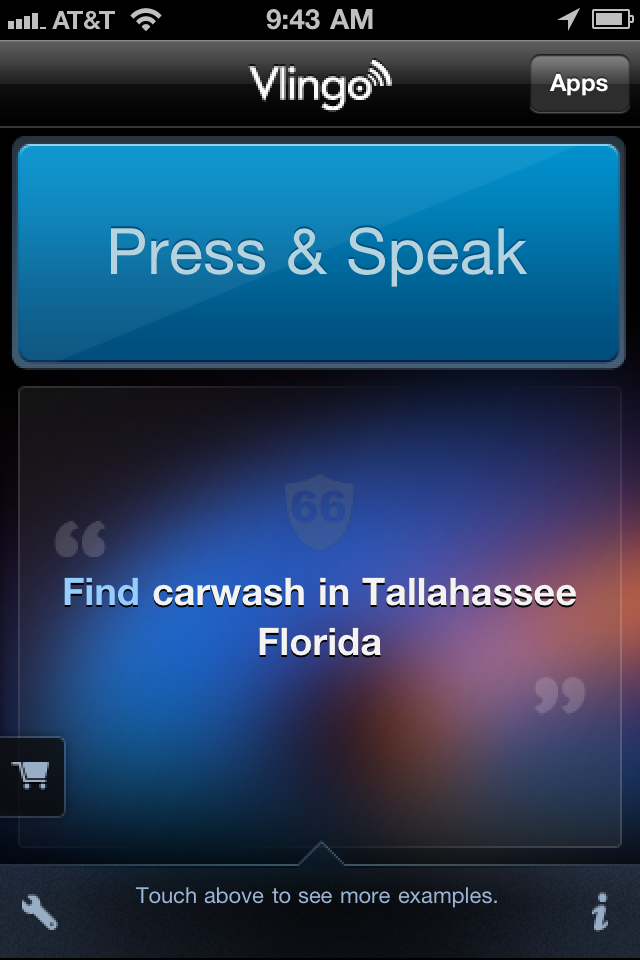
Vlingo interface.Vlingo interface.Personal assistants are not just for the rich and famous: In virtual form, they're also available to smartphone users. With versions for Android, iOS, and other platforms, the Vlingo app does your bidding, whether you want it to update your Facebook status, fire off a text message, or search the Web.
Why it's worth checking out: As MC Hammer--who is quoted on Vlingo's iOS App Store page--says, "Vlingo is dope."

Siri Assistant

Platform: iOS
Price: Free
Siri Assistant for iOS.The Siri Assistant voice recognition app focuses on getting things done for you.Too busy to type? Turn to Siri Assistant, a virtual personal assistant that resembles Vlingo but is more focused on such tasks as finding restaurants, making reservations, locating theater tickets, and booking taxis. And just like a human assistant, Siri Assistant learns more about your personal preferences over time.
Why it's worth checking out: Apple purchased Siri back in 2010. Clearly, Steve Jobs sees something he likes here.

DriveSafe.ly Pro

Platform: Android, BlackBerry, iOS
Price: $13.95 per year
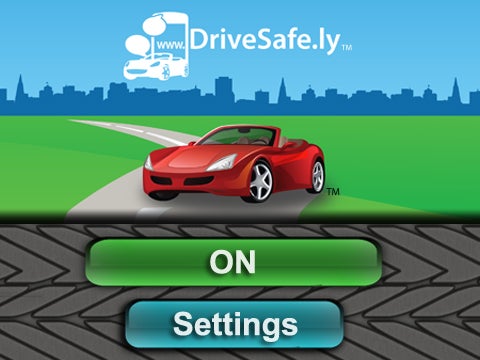
DriveSafe.ly Pro.The DriveSafe.ly Pro app reads incoming text messages to you. You can compose and respond by voice.Not only is it unsafe to text while driving, but in many places it's also illegal. Still, you don't have to be out of touch when you're behind the wheel, thanks to DriveSafe.ly Pro. This app reads your incoming text messages to you and lets you compose and send responses by voice. (A free version for Android will read incoming messages only.)
Why it's worth checking out: The app's name pretty much sums its raison d'ĂȘtre: Texting by hand while driving is not a good idea.

Dragon Downloadable Apps

Platform: Android, BlackBerry, iOS
Price: Varies
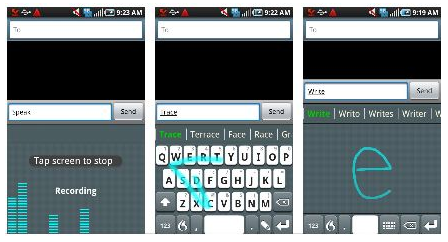
FlexT9 for Android.FlexT9 for Android.Nuance's popular line of Dragon voice-recognition software has gone mobile. The company offers various mobile apps, including Dragon Dictation (free), which lets you control many functions of your iOS device by voice; Dragon for Email (free), which enables BlackBerry users to compose and send messages by voice; and FlexT9 for Android ($4.99), which lets you choose your preferred method of input--speak, trace, write, or tap--based on your current needs.
Why it's worth checking out: Nuance's Dragon line of software has set the standard for PC-based voice recognition. If you're looking for a company that knows voice products, look no further.

ChaCha Answers

Platform: Android
Price: Free
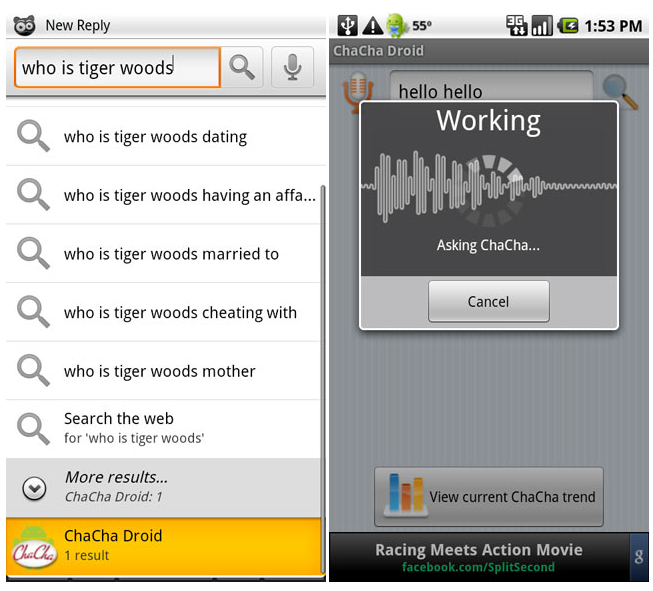
ChaCha Android app.The ChaCha app for Android phones provides quick answers to your verbal questions.Search engines are great when you're looking for a wide swath of information. But if you have a narrowly specific question, digging through multiple pages of results looking for a simple answer is counterproductive. That's when you need ChaCha Answers, a question-and-answer service that provides quick answers to your pressing questions.
Why it's worth checking out: It can tell you how much you'd weigh on Saturn--in case you were wondering.

Jibbigo Voice Translation

Platform: Android, iOS
Price: $4.99 and up
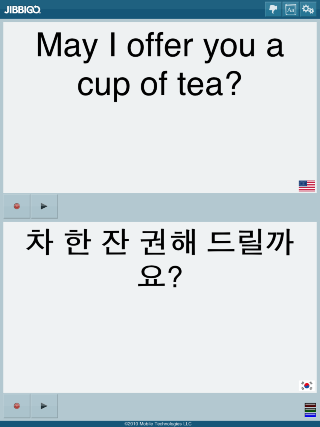
Jibbigo Voice Translation.Speak in one language and have your words translated into another with the Jibbbigo Voice Translation app.What good is talking if your intended audience can't understand what your saying? Enter Jibbigo. This two-way translation app for Android and iOS listens as you talk in one language, and then translates your words into another language. It's available in eight different language pairs, including English, Filipino, French, German, Japanese, Korean, Mandarin Chinese, and Spanish.

Why it's worth checking out: We've heard your German accent, and it's terrible. Our advice: Stop talking and let Jibbigo speak for you.

Tuesday, August 7, 2012

Dyslexia: SoundGecko App Converts Text to MP3

Soundgecko: This looks like an excellent App for those with Dyslexia, reading difficulties or are partly sighted.

We tried it out on the test article and it was clear and fairly realistic in it's speech pattern.

We would be interested to hear from anyone who has experience of this app.

Saturday, August 4, 2012